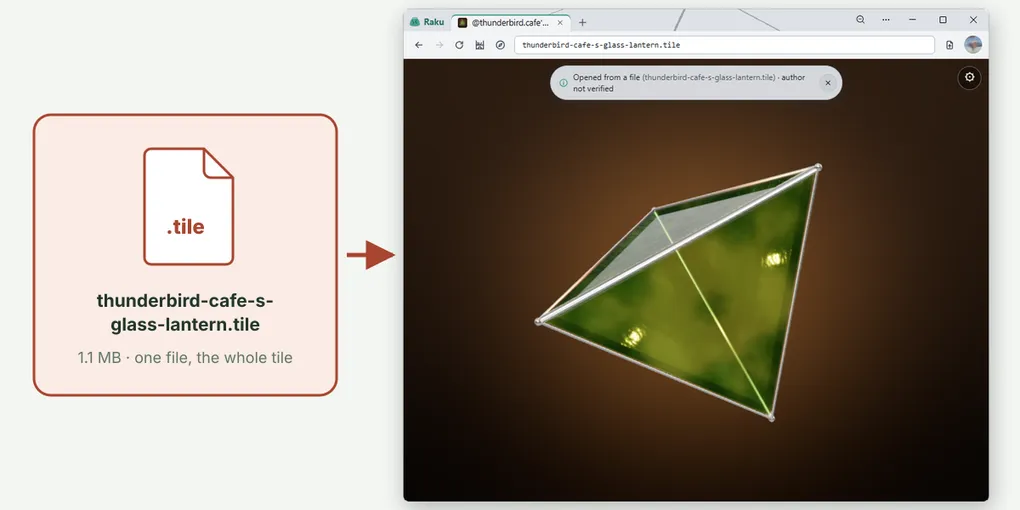
Tile files: a web tile you can keep
A web tile usually lives in someone’s atproto account, as a record that points at its files. Now a tile can also be a single file: something you can keep in a folder, email to a friend, or copy to your phone. Open it in Raku and it runs just as it does from an account.
Try it: download a sample Glass Lantern, then drag it onto Raku.
Part 1: what you can do
Saving a tile as a file
In the Web Tile Foundry, the Publish step now has Save as .tile, under Review and publish, and again on the review screen. It works for every kind of tile the Foundry makes: Sprite Walker, Glass Lantern, Coaster Carnival, Zine Scene and Mixtape Burndown.
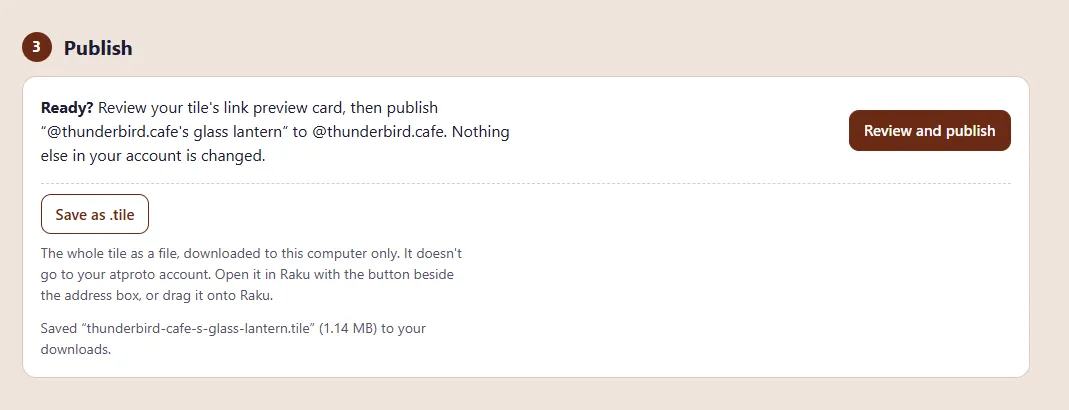
The file goes to your downloads and nowhere else. It isn’t published, and it doesn’t go to your atproto account. You can save a tile as a file before you publish it, after, or instead.
In Raku, any published tile can be saved the same way. On a tile’s tab, the second small button after the address box is Save this tile as a file. It works for anyone’s tile, since published tiles are public anyway. Afterwards, Raku says whose tile it is, and the file remembers where it came from.
Opening one
To open a tile file in Raku, use the first small button after the address box, press Ctrl+O (⌘O on a Mac), or simply drag the file onto Raku. It opens in a new tab:
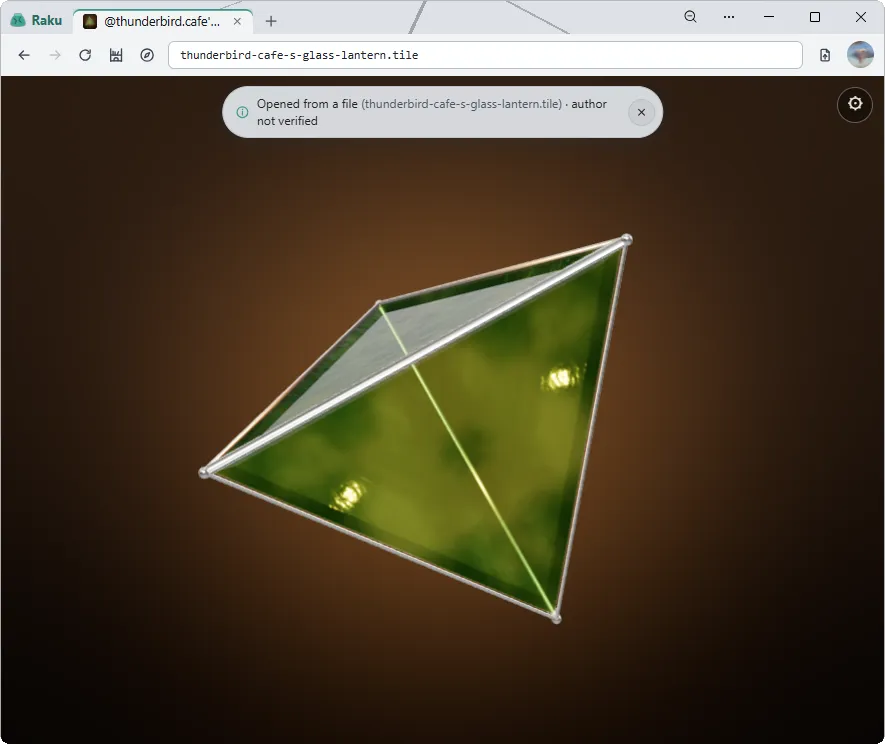
The note at the top says Opened from a file · author not verified, and the address box shows the file’s name instead of an at:// address. Hearts, posting and sharing are hidden, since a file isn’t a record anyone can point to. Raku doesn’t keep the file: after a reload the tab asks you to open it again.
It works on a phone too. Email the file to yourself, save the attachment, then tap the open button in Raku and pick it. A saved mixtape plays on the phone, both sides.
Part 2: how it works
What’s inside
A tile file holds the tile’s list of contents and every one of its files: the page, its program, its pictures, and for a tape, every song. Each file is stored under the same address it has when the tile is published. An address here is a fingerprint of the file’s bytes, so a tile file and a published tile hold exactly the same pieces.
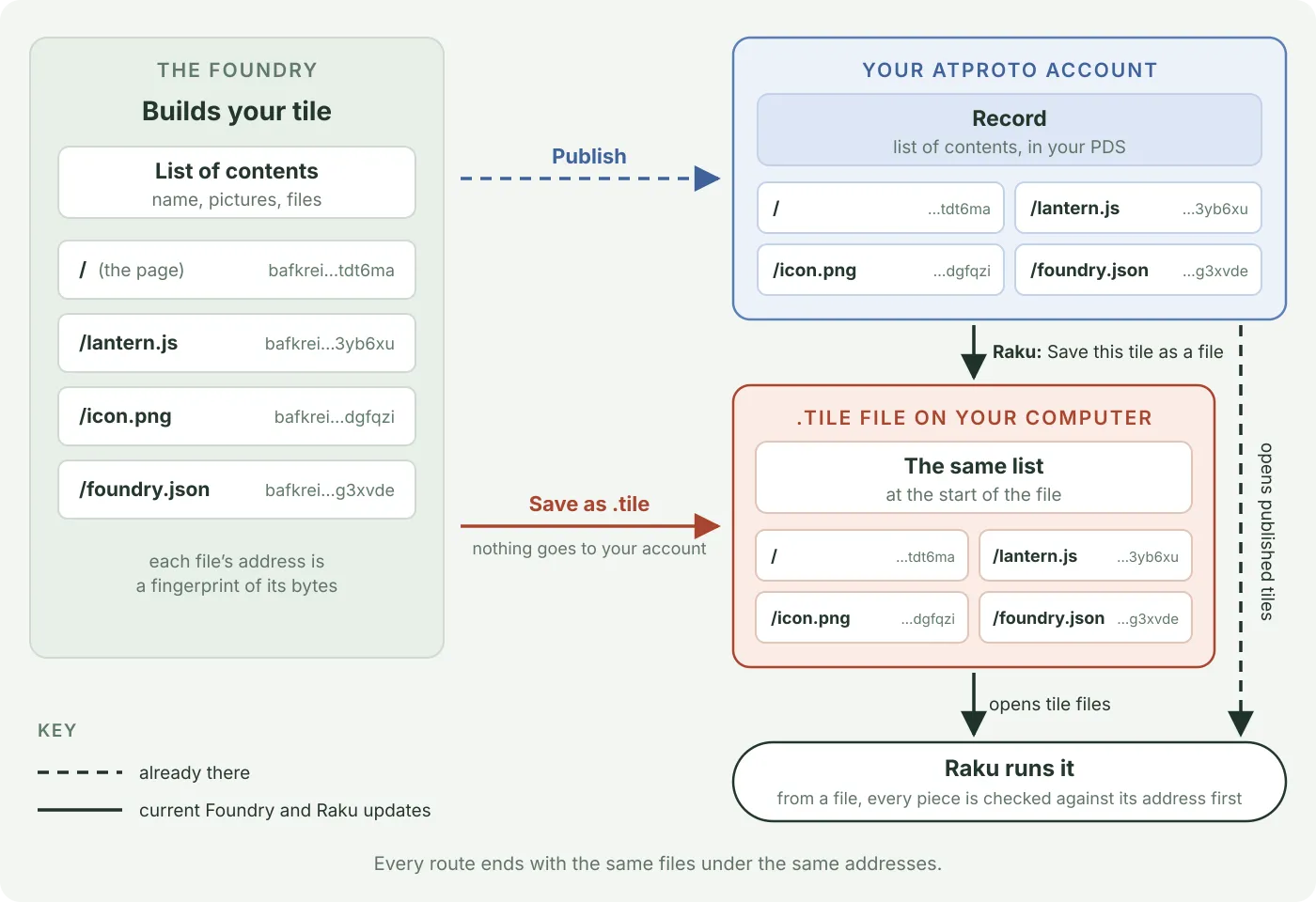
When Raku opens a file, it checks every piece against its address, so a file that’s been changed or damaged is refused. The format is the one the tiles spec describes for a tile in a single file, so it isn’t Raku’s alone. Other tile tools can read these files too.
Where it came from
A file saved from Raku also records which account’s tile it was, and it carries that account’s signed proof: the record exactly as the account’s server signed it. Raku doesn’t check that proof yet, which is why the note says “author not verified”. Checking it, so Raku can say “Published by @handle · verified”, may come in a future update.
Tiles without a server
This blog is mostly about tiles living in atproto accounts, and that’s still the main way to share one. But a tile that’s also a file has a few advantages of its own:
- Sharing privately. Records in an account are public. A file goes only where you send it.
- A copy that stays put. If the published tile is revised or deleted, your file stays exactly as it was.
- Trying before publishing. Save a tile, open it, and show it to someone before it goes anywhere.
- Checked when opened. Every piece is checked against its address, so you know nothing inside has changed.
One honest note: opening a file in Raku still needs Raku to be online. Raku uses its loading server to give each tile its own walled-off space to run in. But the tile’s files never leave your computer.
And because everything a tile needs is inside the file, an app made for one kind of tile could open it in airplane mode, the way Tileman plays saved tapes.
Further reading
- Raku, and its code at pyxorium/raku
- The Web Tile Foundry, and its code at pyxorium/web-tile-foundry
- Raku: a browser for web tiles
- Mixtape C60: Your plyr.fm songs on a cassette Web Tile, which introduced Tileman
- Web Tiles, by Robin Berjon
- DASL: Web Tiles specification, including how a tile fits in a single file
- DASL: CAR, the file format underneath a tile file
- AT Protocol: Repository, on signed commits and proofs for single records