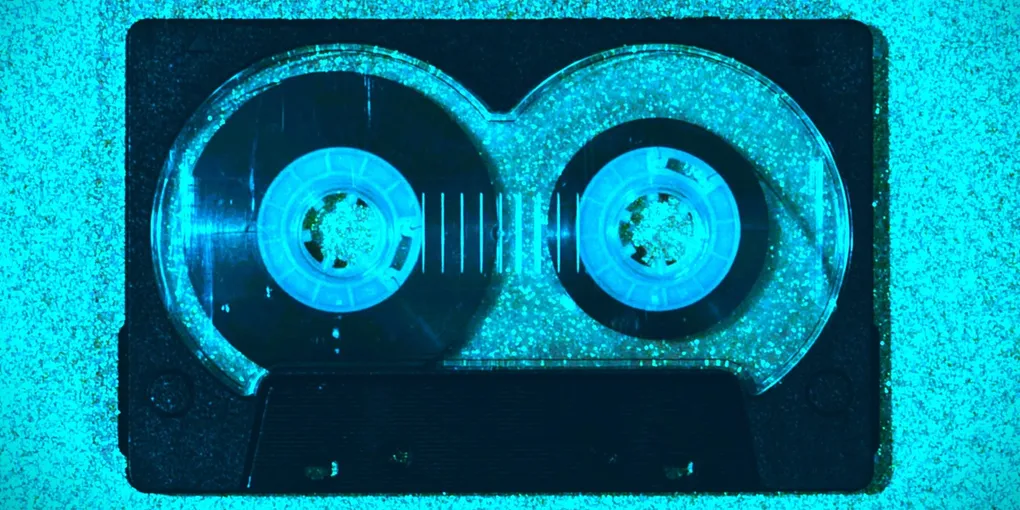
Mixtape C60: Your plyr.fm songs on a cassette Web Tile
Remember making a mixtape? You picked the songs, worked out what went on Side A and what went on Side B, pressed play to record, and wrote the label by hand. Give it to a friend, or keep it for yourself. The Web Tile Foundry now has a new tile type that brings that back: Mixtape C60.
You pick songs from your own plyr.fm uploads, arrange them on two sides of up to 30 minutes each, choose how each song leads into the next, and publish the tape as a Web Tile in your own atproto repo. Here’s my first one, from a Parlor Greens set at Jam Cruise.
Press play. When Side A ends, the tape stops, like a real cassette, and offers to turn over to Side B.
This post has three parts: how to make a tape, how to listen to tapes on your phone with Tileman, and some notes for people building atproto apps.
Part 1: Make a tape
You need an atproto account with songs on plyr.fm, the music platform built on atproto. The Foundry reads your plyr.fm uploads straight from your own account.
Sign in. Go to foundry.thunderbird.cafe, sign in with the account you use on plyr.fm, and pick Mixtape C60.
Pick your songs. Your plyr.fm uploads appear grouped by show or album, newest first. Open one and tick songs, or add the whole show at once. Each song starts converting as soon as you tick it, with a progress bar.
Lay out the sides. Each side of the cassette holds 30 minutes. Move songs up and down, send them to the other side, or rename them. Between songs, the Then choice sets how one leads into the next:
- Straight on: the next song starts right away. The Foundry suggests this for songs that were back to back at the same show, so a segue stays intact.
- Short pause: two seconds of silence.
- Fade and pause: the song fades out, a moment of silence, and the next one fades in. Good for songs from different recordings.
Decorate the cassette. Pick a shell color (Classic, Smoke, Cream, Cherry or Ocean), write the label as you’d write it by hand, add a dedication, and fill in the liner notes, the way you would on a J-card. One button adds the shows your songs come from to the notes.
Listen before you publish. The preview plays the tape exactly as listeners will hear it, fades and pauses included. Keep mixing until you’re happy with it.
Publish. Tick the box to confirm these are your own uploads, and press Publish. The tape goes into your repo with a cassette picture for its link preview card, ready to share on Bluesky or anywhere else Web Tiles show up.
For now, only songs whose audio is stored on your own account can go on a tape. Older plyr.fm uploads that only live on plyr.fm’s own storage are listed with a note saying so.
It works best on a computer: converting songs takes a fair amount of memory.
Part 2: Tileman, a tape player for your phone
A tape tile plays anywhere Web Tiles do. But a mixtape wants to go with you, and that’s where Tileman comes in, a small phone app at thunderbird.cafe/tileman. Open it in Chrome on Android and install it to your home screen. So far I’ve only tested it on Android; on an iPhone it may behave differently, especially with the screen off.
- Find mixtapes by handle. Type a handle and Tileman lists that account’s tapes. Suggestions as you type come from the same community search service the Foundry uses, typeahead.waow.tech.
- Saved on your phone. Tapes play offline, even in airplane mode.
- Screen off. Each side is one continuous recording on the phone, so it keeps playing with the screen locked, and the lock screen shows the song and artwork.
- Sides. When Side A ends, Tileman stops and waits with a Turn the tape button.
Part 3: Notes for builders
Convert in the browser, then check by ear and by numbers. The Foundry decodes each song with the browser’s audio tools and encodes it with lamejs, a JavaScript port of LAME, in background workers. One lesson: lamejs quietly produces near-silence if you hand it more than one MP3 frame’s worth of samples (1152) at a time. The files were valid; they just had no music in them. Now every converted song is decoded again and compared for loudness with the original before it’s accepted.
One format makes tapes joinable. MP3 files can be joined end to end only when they match: same sample rate, same channels, constant bitrate. So every song is converted to the same format (96 kbps, stereo). That keeps a 60-minute tape around 45 MB, and it lets Tileman join each side into a single recording.
Why join at all? On Android, Chrome lets audio that’s already playing continue with the screen off, but newly started audio can be paused once the phone settles into sleep. A playlist of separate files stops after a song or two; one continuous side plays to the end.
Bake the transitions in. Fades are applied while converting, and pauses are real silence added to the end of each song’s file. Every player, from the tile’s own page to Tileman, plays the tape the same way, with nothing to interpret.
Describe the tape in a file. Each tape carries a tape.json: sides, song order, titles, lengths, each file’s content address, the cassette’s colors, and for every song a link back to its original fm.plyr.track record. Players read that one file and don’t need to know how the tape was made.
Credit travels with the song. Because each song points at its plyr.fm record, a tape always says where its music came from.
What’s next
- Private tapes, made for one person or a small group, using atproto’s permissioned spaces once they’re ready.
If you make a tape, please consider sharing!
Further reading
- Web Tile Foundry, and its code at pyxorium/web-tile-foundry
- plyr.fm, music on atproto
- Tileman, the phone player for tapes
- lamejs, MP3 encoding in JavaScript, a port of LAME
- The Web Tile Foundry: Mint your own Web Tiles, the first post about the Foundry
- DASL: Web Tiles specification